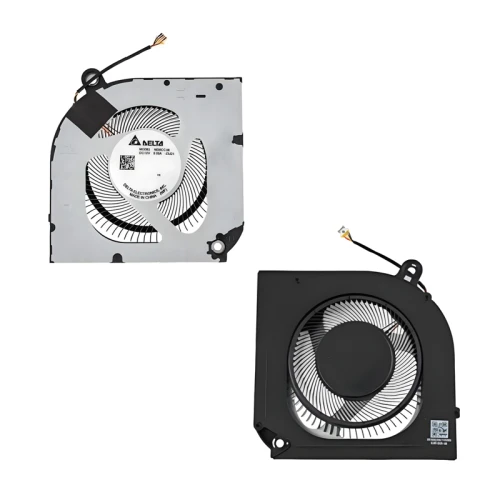
ACER Predator Helios Neo 16 PHN16-71 N22Q22 plastic CPU Fan original

hot sales
Model EG75091S1-C113-S9A
Power: DC12V, 9.60W
Connector: 4pin
Condition: NEW
Compatible
23.QJLN7.004 23.QJLN7.006 DC280010VF0 DFSCL12E16486M FQ1H ,

Predator Helios Neo 16 (PHN16-71) series:

PHN16-71-76H5

PHN16-71-73LT

PHN16-71-73RR

PHN16-71-5606

PHN16-71-59F1

PHN16-71-55V5

PHN16-71-78Y5

PHN16-71-56ZU

PHN16-71-57LQ

PHN16-71-79C7

Predator Helios Neo 16 Phn16-71

Predator Helios Neo 16 Phn16-71-50jg

Predator Helios Neo 16 Phn16-71-788n

Predator Helios Neo 16 Phn16-71-9500

Predator Helios Neo 16 Phn16-71-795k

Predator Helios Neo 16 Phn16-71-7884

Internal Structure Diagram Search and view the internal structure of this part
Loading...
Available

US $10.00

Shipping Estimate Click to detect
Calculate Shipping

Product Description

ACER Predator Helios Neo 16 PHN16-71 N22Q22 plastic CPU Fan original is a high-quality replacement cooling fan designed for your laptop. This model (EG75091S1-C113-S9A) is manufactured to meet or exceed original specifications, ensuring reliable performance and long service life.

Key Specifications:

  • Model: EG75091S1-C113-S9A
  • SKU: LT-16494
  • Power: DC12V, 9.60W
  • Connector: 4pin
  • Condition: Brand New
  • Warranty: 90‑day replacement guarantee

Compatible Part Numbers: 23.QJLN7.004 23.QJLN7.006 DC280010VF0 DFSCL12E16486M FQ1H ,

Predator Helios Neo 16 (PHN16-71) series:

PHN16-71-76H5

PHN16-71-73LT

PHN16-71-73RR

PHN16-71-5606

PHN16-71-59F1

PHN16-71-55V5

PHN16-71-78Y5

PHN16-71-56ZU

PHN16-71-57LQ

PHN16-71-79C7

Predator Helios Neo 16 Phn16-71

Predator Helios Neo 16 Phn16-71-50jg

Predator Helios Neo 16 Phn16-71-788n

Predator Helios Neo 16 Phn16-71-9500

Predator Helios Neo 16 Phn16-71-795k

Predator Helios Neo 16 Phn16-71-7884

Important Notes:

  • Always compare our product photos with your original fan – check the connector type, screw hole positions, and overall dimensions. Even if the model matches, physical appearance can vary.
  • The screw hole positions of fans from different manufacturers are different – ensure they match your heat sink.
  • Sticker may vary – the label on the fan may differ, but functionality and compatibility are guaranteed.
  • Original vs OEM – we offer both options. Original parts are higher quality, while OEM parts are more affordable and may be the only option for older laptops.

If you are unsure about compatibility, send us a photo of your original fan (top and side) – we will verify and recommend the correct part.
Laptop Cooling Fan Replacement Guide

How to choose the right cooling fan for your laptop

1 How to Identify Your Current Cooling Fan

Check Laptop Model – Look at the bottom of your laptop for the exact model number (e.g., Dell Precision 5680, HP EliteBook 840 G5). This is the first step to find compatible fans.
Check the Fan Sticker – Remove the fan (if possible) or check its top sticker for a part number (e.g., EG50060S1-C710-S9A, 00GCX4). This is the most reliable way to match the exact fan.
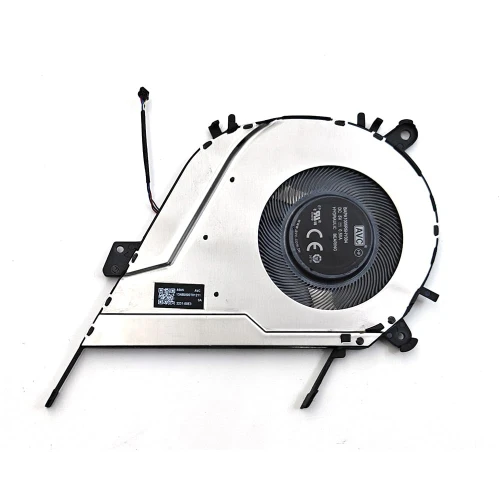
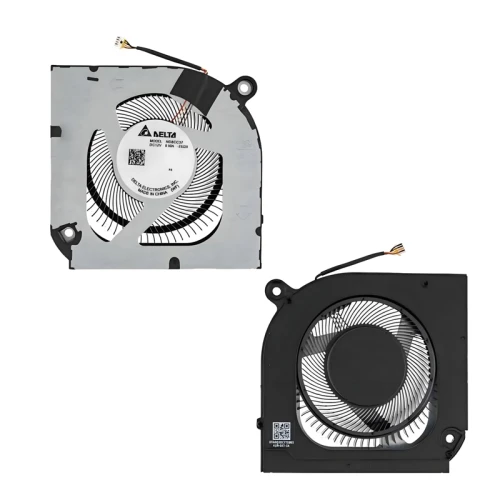
Compare Photos – Always compare our product photos with your original fan – check the connector type, screw hole positions, fan blade shape, and overall dimensions. Even if the model matches, these details can vary.
Check Power Specifications – Note the voltage (e.g., DC5V) and current (e.g., 0.46A) printed on the fan. Matching these ensures proper electrical compatibility with your motherboard.

2 How to Choose the Right Replacement Fan

Connector & Pin Configuration – 2‑pin, 3‑pin, or 4‑pin? Check your original fan's connector. 4‑pin fans support PWM speed control. Must match your motherboard!
Screw Hole Positions – The screw hole positions of fans from different manufacturers are different. Even for the same laptop model, compare hole locations carefully – they must match your heat sink.
Fan Dimensions & Thickness – Check the fan diameter (e.g., 50mm, 60mm) and thickness (e.g., 10mm, 15mm). A fan that's too thick won't fit in the chassis.
Power (Voltage & Current) – Voltage (usually 5V) and current (0.2A–0.6A) should match your original fan. Higher current may overload the motherboard circuit.
Original vs OEM – Original (higher quality, higher price) vs OEM (affordable, may be needed for old models). Some older laptops only have OEM fans available as original production has stopped.
CPU or GPU Fan – Some laptops use different fans for CPU and GPU. Make sure you are ordering the correct one. The fan type is usually indicated in the part number or description.

! Key Points to Remember

Always compare photos – Our photos are the best reference – check the connector, screw hole positions, and fan blade shape carefully before purchasing.
Same model, different coolers – The same laptop model may use different types of coolers from different manufacturers. Always compare physical appearance, not just model number.
Sticker may vary – The sticker/brand label on the fan may differ, but quality and compatibility are guaranteed as shown in the product photos.
Check compatible models list – Before ordering, confirm your laptop model is listed in our compatibility table. If unsure, contact us with your original fan photo for verification.
Need help finding the right fan? Send us a photo of your original fan (top and side) – we'll help you identify the correct part! Contact us →

New arrive

BAPA1005R5HY004
Available
US $7.20
ND8CC37-23J20
Available
US $9.10
ND8CC38-23J21
Available
US $9.10
ND8CC38-23J21
Available
US $9.10